Why I Built My Own GLP-1 Tracking App (which you can use for free too)
I was not too happy with what is on the market, especially when it comes to data privacy and tracking. So I built my own app to track my GLP-1 injections and other stuff.
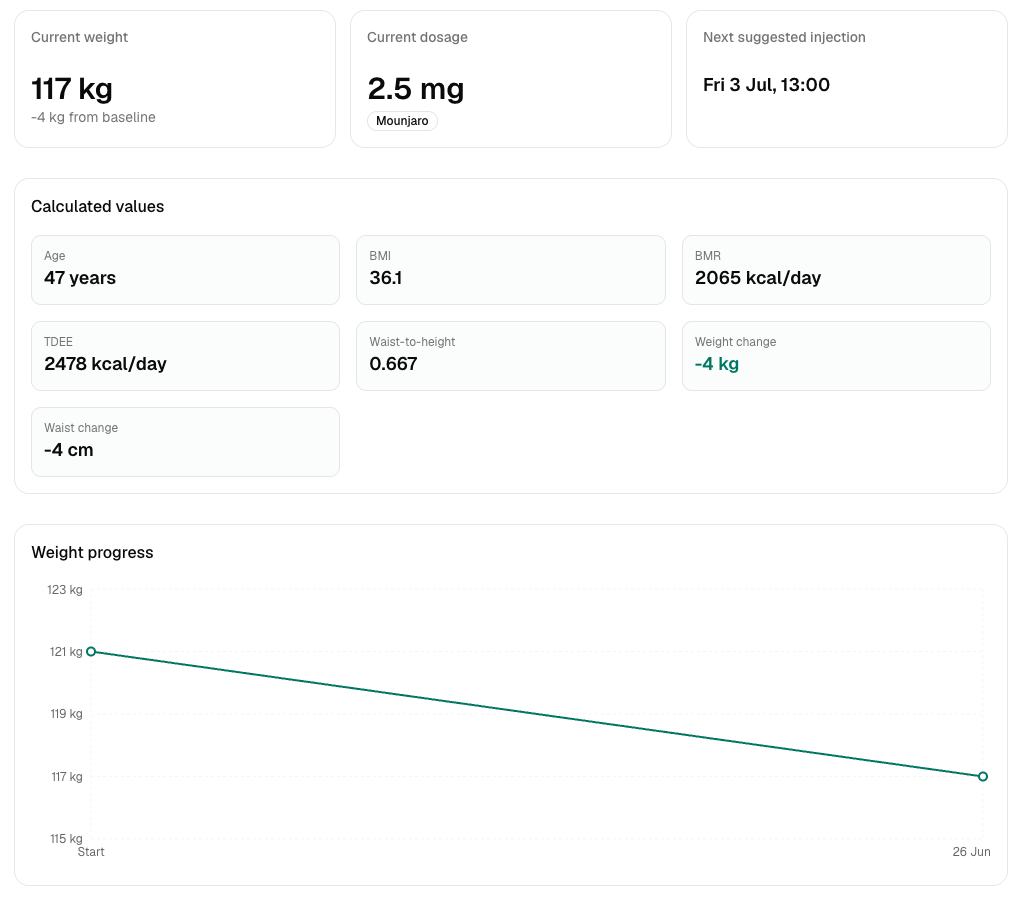
Surely there are quite some apps on the market for GLP-1 users. And some of them are quite good too. But every rose has its thorns and especially when it comes to my health data or my very private photos I take for documenting my progress, I was not convinced. Since I have friends that run a software company and are specialized in developing Software-as-a-Service (SaaS) solutions, I explored the possibilities of rolling my own app and here we are 😉
The basic premise
I wanted a (web) app that is:
- easy to use: open it, hack in the values from my measurement tape and my scale, be done
- start with a baseline + a set of images to document the journey
- have a clear picture about what is what and where I stand
- make sure the data storage is on GDPR-protected servers and my data is under no circumstances used or leaked
Say hello to glp-journal.click
I created that with a modern web development stack that consists of:
- React & Next.js for the frontend
- TailwindCSS for the visual style
- supabase as the backend database, file storage and for user authentication
- Cloudflare for security and performance
- Hosting via vercel
Since we made sure that vercel, supabase and Cloudflare are running on EU infrastructure and the guys I tasked with developiong the app are professionals when it comes to privacy, hosting and security, I got me a pretty amazing product that now is also open to the public in a beta testing phase for FREE.
If you want to check it out, hop on over to glp-journal.click and test it out. You just need an email address to sign in, fill out your baseline and log your first jab!
From there, you can simply return every week and log your values (and add photos) and have a nice graph (like the one above) to show off your progress!
Thanks for reading!